
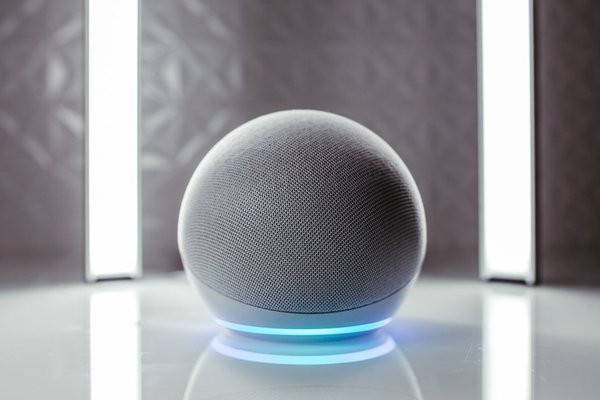
A voice-controlled smart home should make everyday tasks easier, not turn simple chores into conversations with a speaker. The best setup is modest: a few responsive devices, names everyone understands, and routines that save effort. Imagine arriving home with groceries and turning on the kitchen lights without putting anything down.
Voice control is the interaction layer between a spoken request and the device or scene that responds. Building it well requires more thought than choosing a smart speaker. Here is how to create reliable hands-free control without tying every purchase to one brand.
Start with tasks worth saying aloud
Identify moments when reaching for a switch or phone is inconvenient. Adjusting a thermostat while cooking, turning on a bedside lamp after getting comfortable, and switching off downstairs lights before bed are good candidates. Choose tasks you repeat often enough to remember the commands.
Not every action benefits from speech. A physical switch is faster when you are beside it, and buttons work better when someone is asleep. Voice should supplement familiar controls rather than replace them.
Build a compatible starter setup
Choose an assistant that fits the household
Voice home automation usually starts with a compatible speaker, display, phone, or hub. Check that any lights, plugs, thermostats, and other products support the assistant you intend to use. “Smart” on the box does not mean every assistant or command is supported.
Before buying, confirm the exact device model, required hub, supported functions, and household-sharing options. Start with one smart light or plug in a frequently used room. Test it thoroughly before expanding; this exposes compatibility problems while they are still easy to solve.
Know what Matter changes
Matter is an interoperability standard that helps compatible devices work across participating smart home ecosystems. It may make mixing brands easier, but devices still need a suitable Matter controller. Some Thread-based products also require a Thread border router.
Support varies by platform and device type, and a Matter logo does not guarantee identical advanced features everywhere. Check the functions you want before purchasing. A guide to smart home hubs and controllers is useful for understanding the difference between these components.
Organize rooms before adding routines
Names are a surprisingly important part of smart home voice control. “Kitchen Pendant” and “Desk Lamp” are easier to remember than “Light 3” or a manufacturer-generated serial number. Give each device a distinct, easy-to-pronounce name.
Assign equipment to the correct room in your assistant app. On supported platforms, this can help nearby speakers interpret a command like “turn off the lights” within their assigned room. Avoid duplicate labels, especially where an open-plan kitchen meets a dining area.
Ask another household member to control a specific light without coaching. If they cannot guess its name, simplify it. This quick test reveals more about the usability of a voice-controlled smart home than adding five extra gadgets would.
Prioritize devices with immediate benefits
Lighting and smart plugs
Lights provide instant feedback. Group related bulbs by room and create scenes for different activities: brighter lighting for food preparation, softer lamps for evening reading. Smart plugs can control suitable ordinary lamps, provided the connected appliance safely supports being switched at the outlet.
Do not use ordinary smart plugs to defeat safety controls or operate high-load equipment without explicit manufacturer support and appropriate electrical ratings. Keep normal switches accessible when devices are offline.
Climate and security controls
Voice adjustments to a compatible thermostat can be convenient when your hands are occupied. Verify supported commands and temperature units. Locks, garage doors, and security equipment may require authentication or restrict certain spoken actions. Those restrictions help prevent accidental or unauthorized operation.
Design routines around real moments
A routine connects several actions to one phrase. “Movie Time” might dim the living-room lights and illuminate a side lamp. “Good Night” could turn off selected lights and set the thermostat while leaving a hallway night-light on.
Build the routine in your assistant app and test each action separately. Then trigger the whole sequence from the position where you normally speak. A short, distinctive phrase is easier to remember and less likely to activate accidentally.
Consider an evening grocery run. You arrive with two heavy bags and say “Kitchen On.” The overhead light and under-cabinet lighting respond together. That is useful hands-free smart home behavior; a complicated routine involving unrelated devices would not improve the moment.
Scheduled or sensor-based actions complement speech. Motion sensing may be better for a hallway after midnight, while a spoken scene works when you want to choose the mood. See a guide to smart home routines and scenes for further planning ideas.
Make commands dependable for everyone
Place speakers away from noisy televisions and extractor fans so they can hear ordinary speech. Maintain reliable connectivity for network-dependent devices. Some local Matter controls may work when internet service is unavailable, but cloud-dependent voice recognition and integrations may stop responding.
If a spoken command fails, first check whether the device responds in its manufacturer app. Then confirm that it is online in the assistant app and assigned to the correct room. Test a simple instruction before diagnosing a multi-action routine.
Install device updates, remove abandoned integrations, and make sure family members know common command phrases. Keep an ordinary way to operate important lights. A guide to troubleshooting smart home connections can help with recurring offline devices.
Protect privacy without losing convenience
Review your assistant’s options for microphone muting, voice history, personalized results, account permissions, and deleting saved activity. Speech recordings or transcripts may be processed according to the provider’s settings and policies. Be thoughtful about placing microphones in private spaces.
Use unique passwords, enable multifactor authentication where available, and keep firmware updated. Limit account access and require extra verification for sensitive functions. Reliable voice home automation should make the home more comfortable without sacrificing basic security.
Frequently asked questions
Do I need a smart speaker for voice control?
No. Certain phones, displays, and hubs also offer voice capabilities, though supported functions and hands-free access vary. A dedicated speaker is helpful when your phone is elsewhere.
Can voice assistant devices from different brands work together?
Often, yes, provided they support a common ecosystem or appropriate Matter features. Check specific device compatibility and commands. Sharing a Wi-Fi network alone does not make devices interoperable.
Will my voice-controlled smart home work without internet?
Only some functions may continue. Local device control and automations can survive an outage in certain setups, but many spoken requests rely on cloud recognition. Test essential tasks rather than assuming full offline operation.
What is the easiest first automation?
Try switching on two compatible lights with one spoken phrase. Use the setup for a week before adding more equipment. A routine that works every time beats a long list of unreliable commands.
Keep the goal simple
You do not need to talk to your house constantly. Start with devices you will genuinely use, give them sensible names, and build routines around daily habits. Preserve manual controls and make the system understandable to everyone at home. When a useful command feels effortless, voice control has earned its place.